

Technician Mode
Pinman services
The Pinman Services page reports the background processes that support the connected Machine. Use it to check their state, inspect recent logs, or restart an individual service.
The page keeps service state and the active environment together:
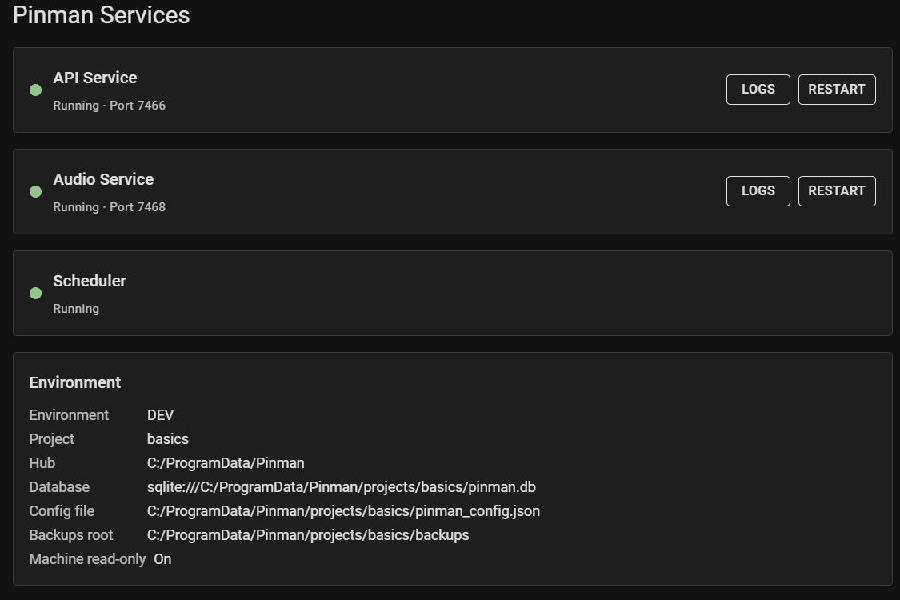
These are Pinman's own services. Windows services on the Machine appear on the Machine page.
Service rows#
Each row shows the service name, state, and port where applicable.
Open Logs to inspect the current tail without leaving the page:
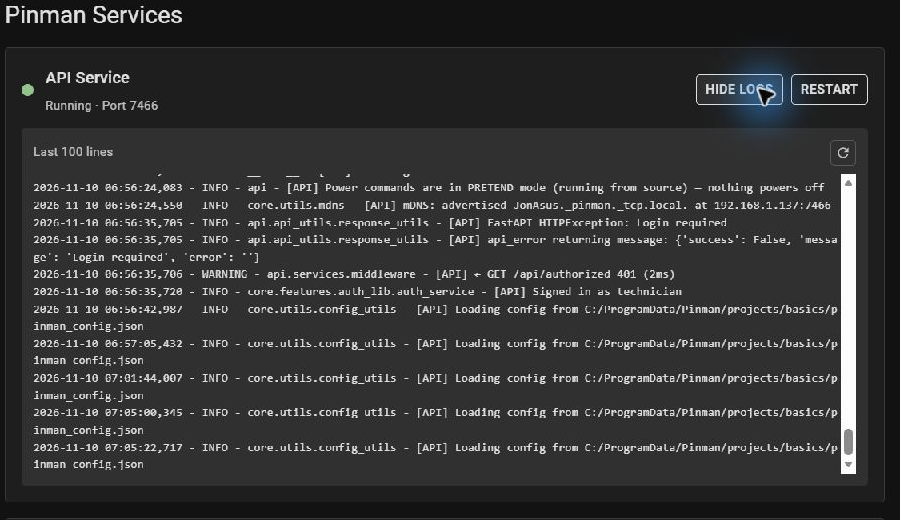
Restarting the API asks for confirmation because the browser will disconnect briefly. The page reconnects when the API returns.
Services shown#
| Service | Purpose |
|---|---|
| API Service | Connects the UI and CLI with the active Project and Machine. |
| Audio Service | Supports Pinman's audio features. |
| Overlay Service | Supports the Operator overlay when Operator mode is enabled. |
| Inputs Service | Handles Operator input controls when Operator mode is enabled. |
| Scheduler | Runs scheduled work inside the API. It appears only while active. |
The tray supervises the API and sidecar services. If several services need to
be restarted together, use Restart Pinman from the tray menu or
pinman service restart.
Environment#
The Environment panel identifies the data and configuration used by the running API.
Command-line equivalents#
| Task | Command |
|---|---|
| Check the service tree | pinman service status |
| List individual services | pinman service list |
| Inspect one service | pinman service show NAME |
| Read its log | pinman service logs NAME |
| Restart one service | pinman service restart NAME |
| Restart Pinman | pinman service restart |