Understand change
Compare the live Machine with earlier Captures and pinpoint differences down to individual tracked Items.

PINMAN 2
Choose which files and settings matter. Pinman 2 captures their state across application data files, the Windows Registry, and device settings—then shows exactly what changed.
Troubleshoot a problem, test an alternative, or move between working configurations without restoring the entire machine.
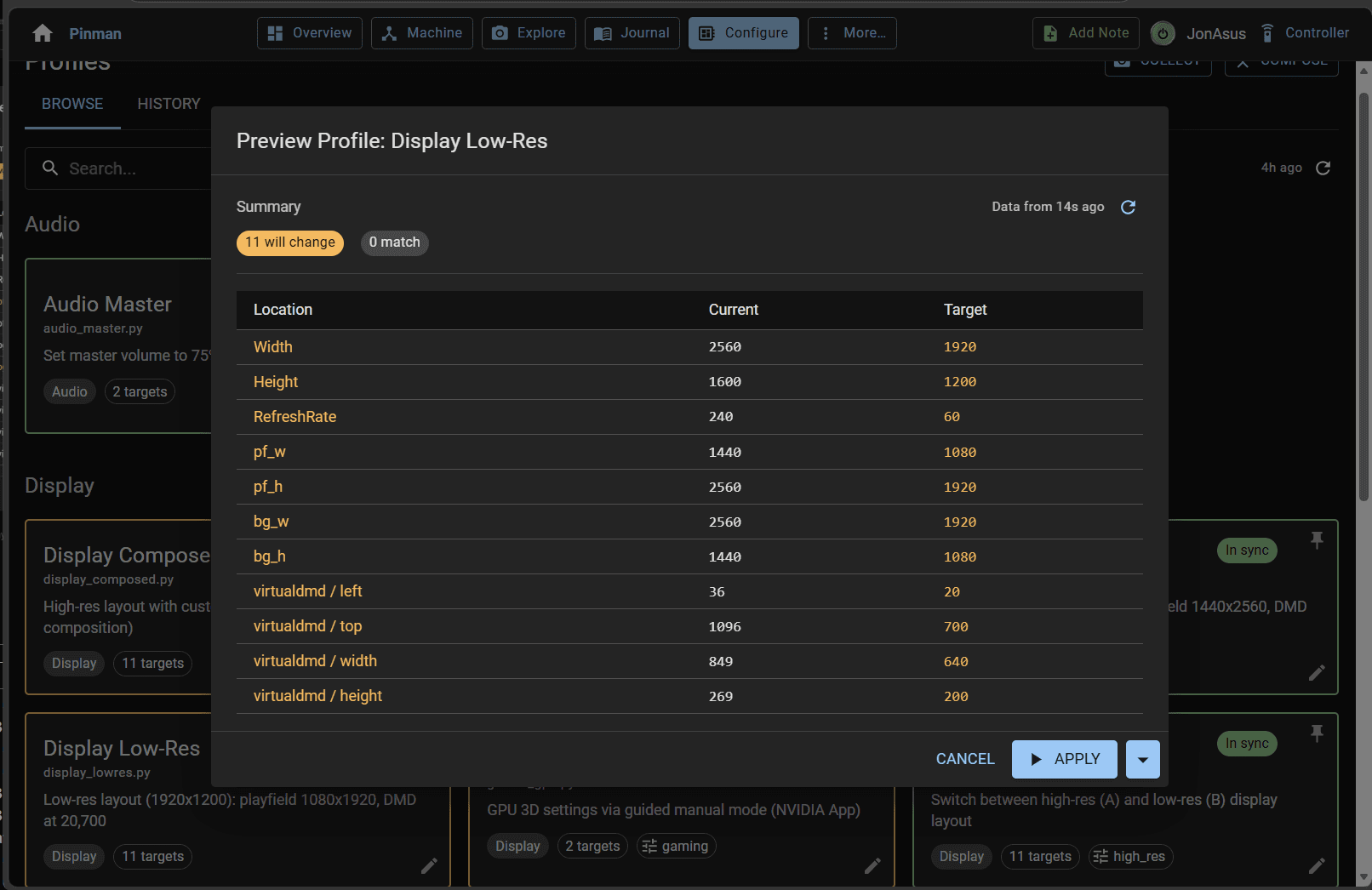
Compare the live Machine with earlier Captures and pinpoint differences down to individual tracked Items.
Capture a starting point, record what you are trying in the Journal, and decide what to keep or undo.
Use Profiles to move between intended setups while leaving unrelated files and settings untouched.
INSIDE PINMAN 2
Each view answers a different question about the same tracked Machine. Select a view to see what it contributes.
Explore
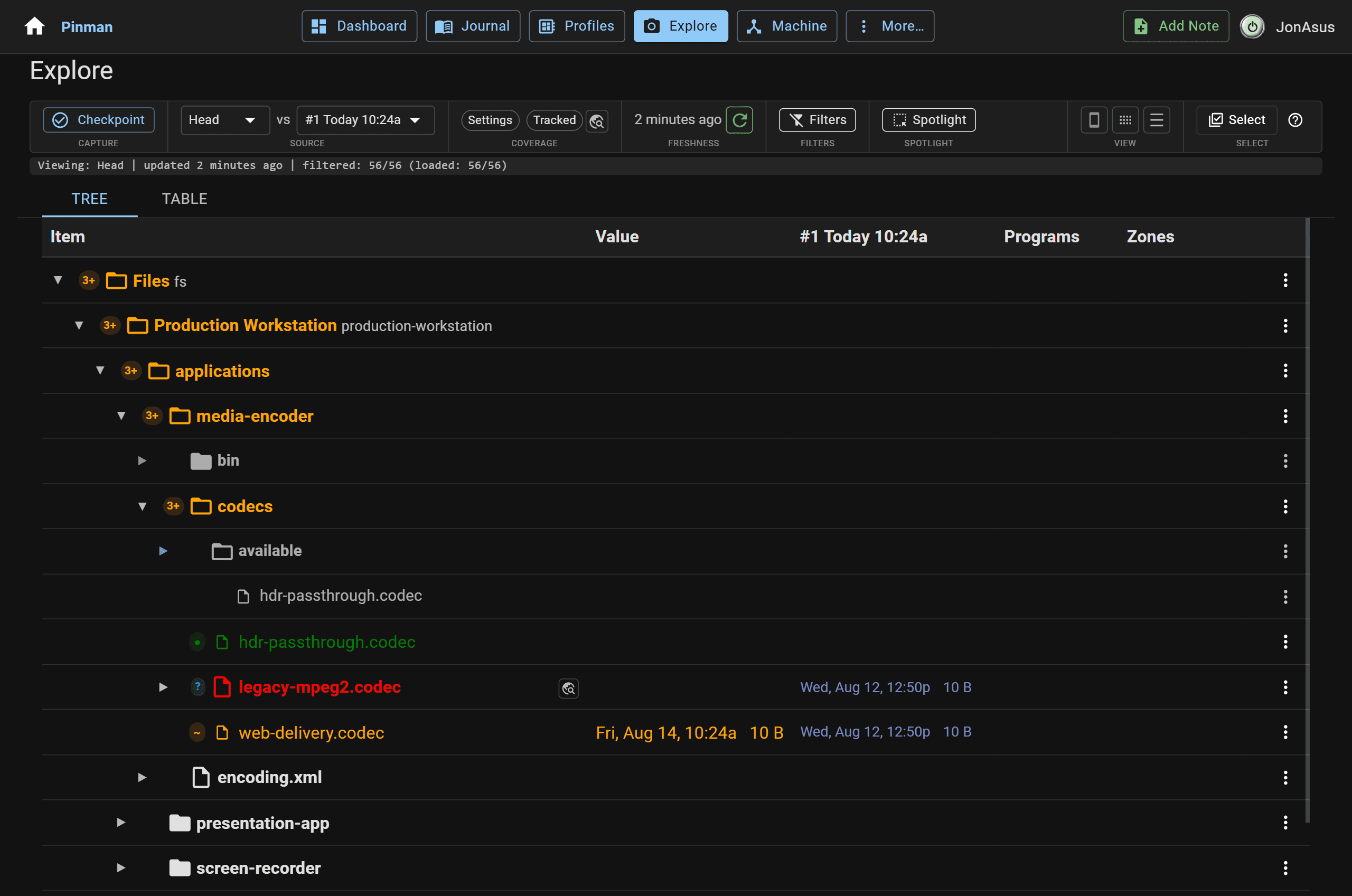
Browse tracked Items and compare the live Machine with a Checkpoint, Savepoint, or another Capture.
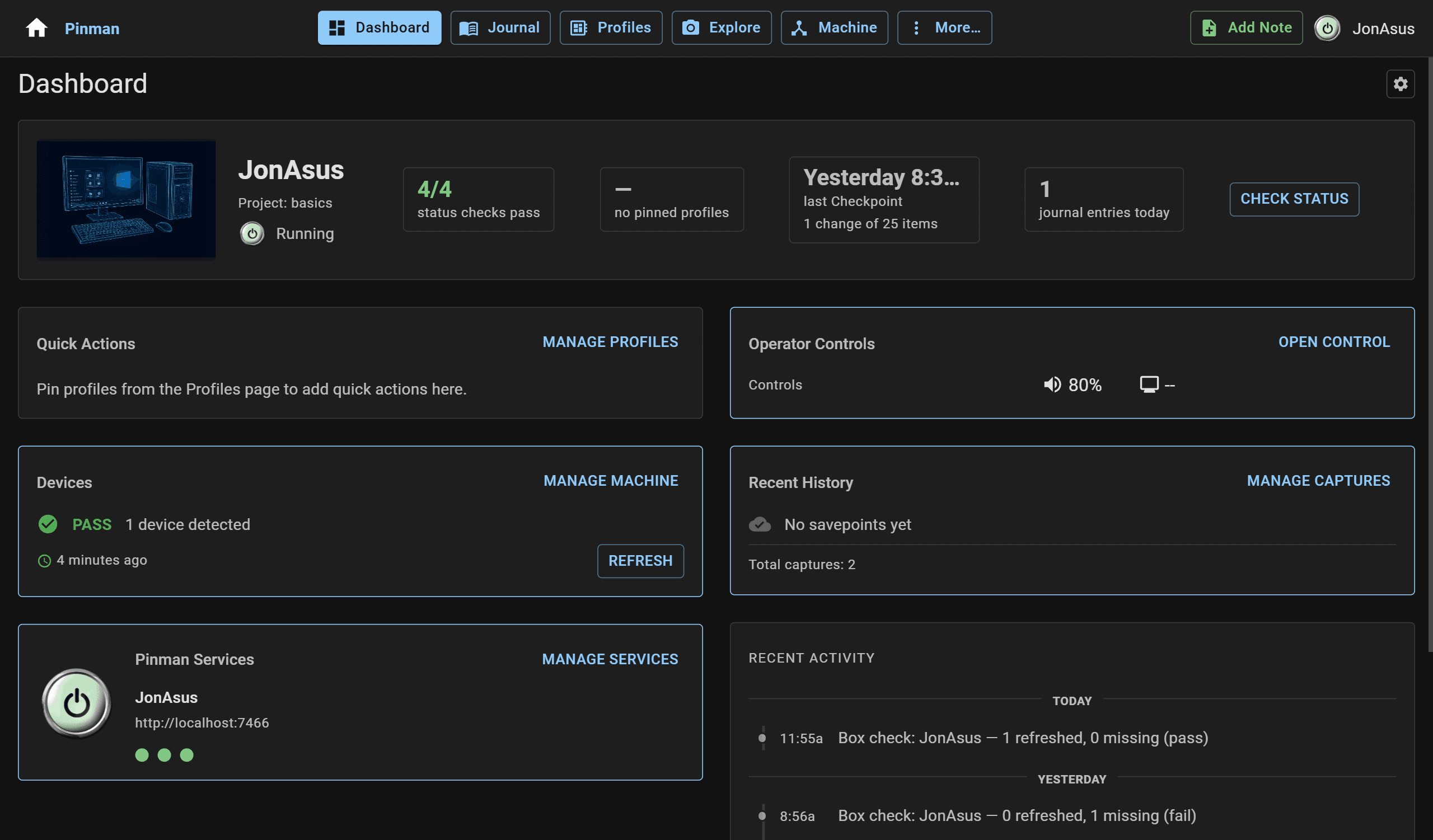
See service status, hardware status, Profile drift, and recent activity in one place.
See the Machine, its assigned hardware roles, detected devices, software, system settings, and services.
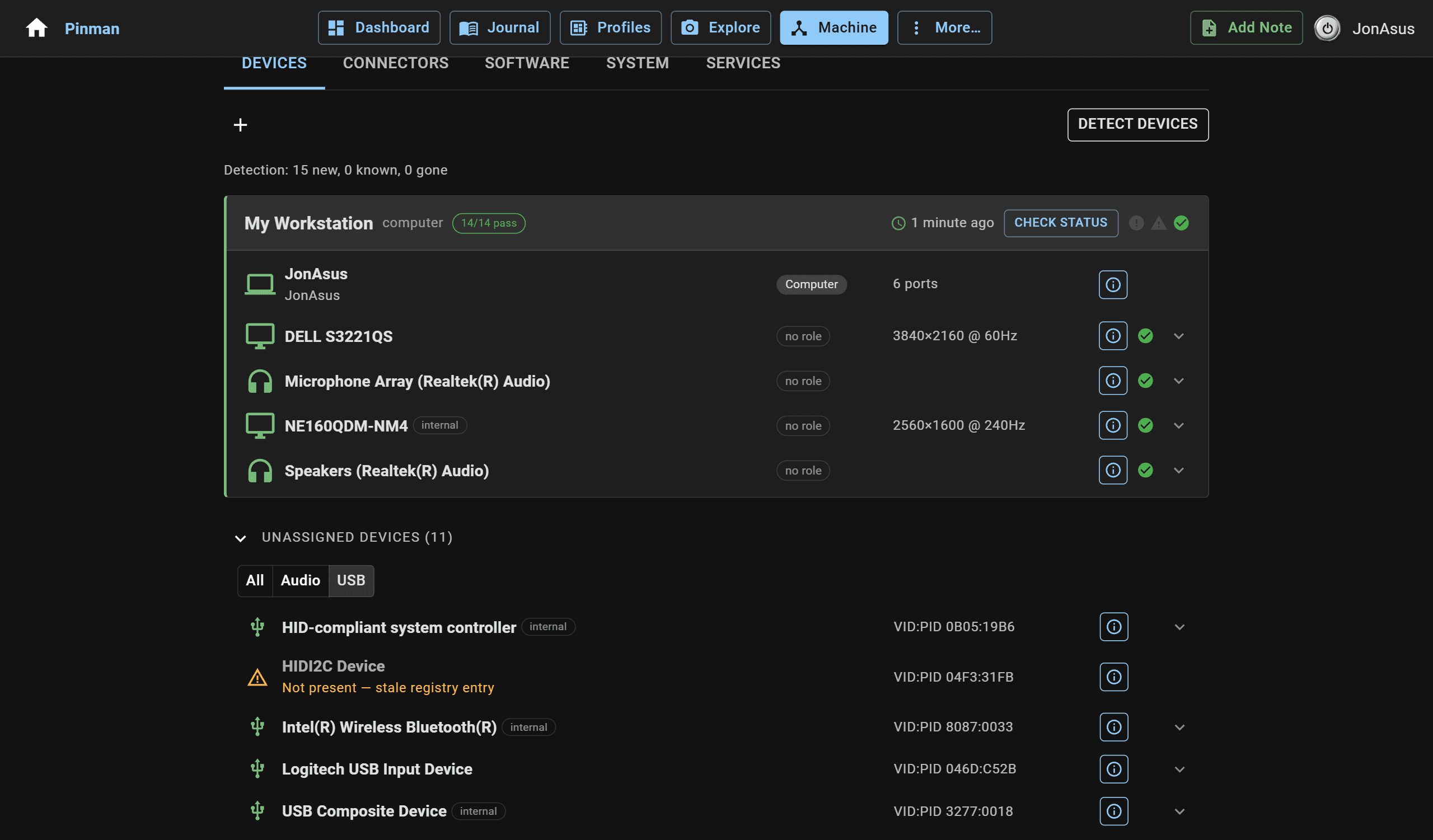
Browse tracked Items and compare the live Machine with a Checkpoint, Savepoint, or another Capture.
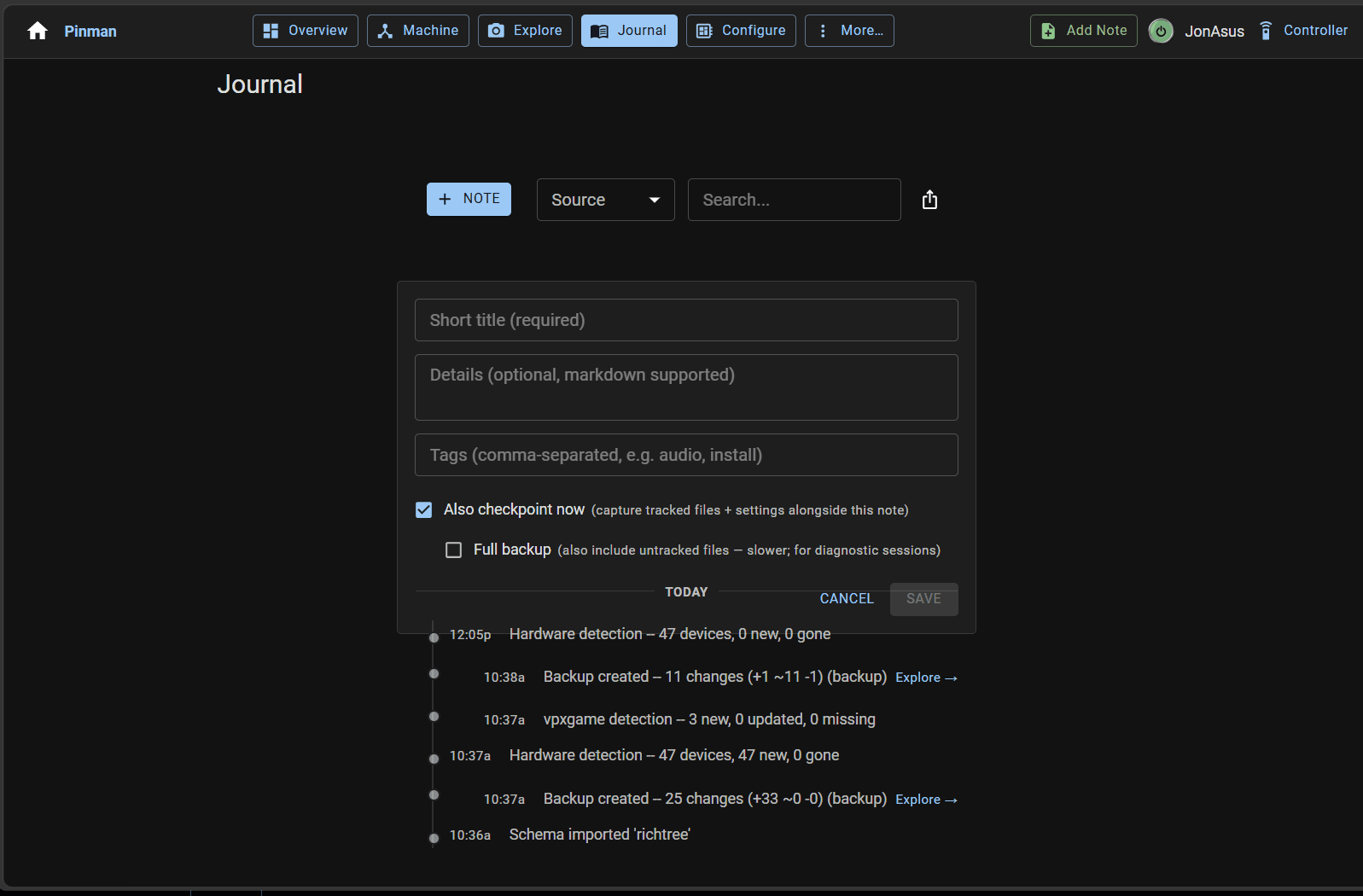
Keep notes, Captures, and detected changes together in a running record of the work.
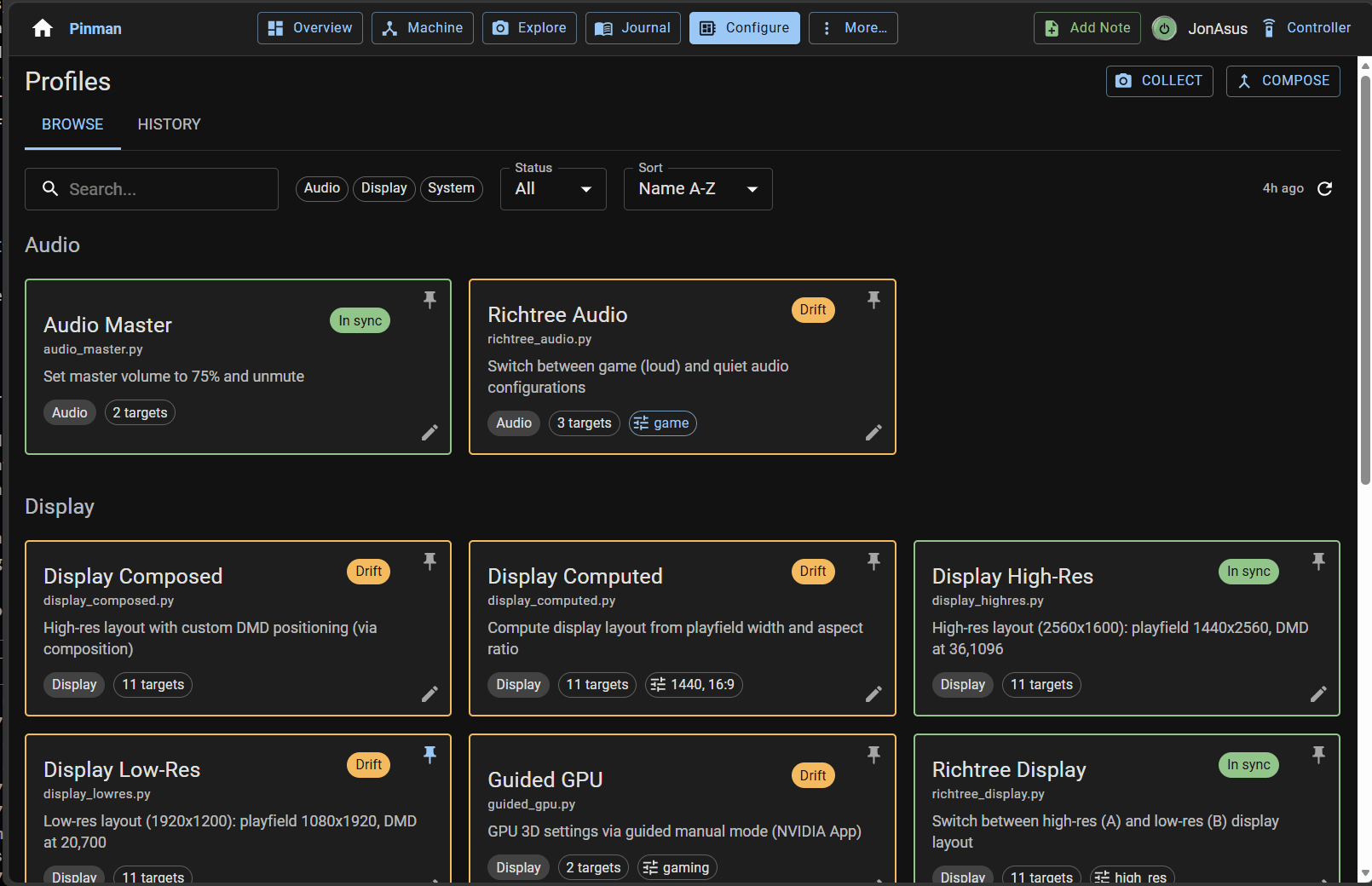
See Profile drift, preview target values, and apply a known configuration without changing unrelated settings.
MORE THAN THE BROWSER UI
The Pinman UI, CLI, REST API, and MCP interface work with the same tracked Items, Captures, Journal, and Profiles. Use the browser for visual work, the CLI for direct technical access, and REST or MCP for automation and agents.
# inspect captured state
pinman capture list

# review recent work
pinman journal list --limit 10

# preview before applying
pinman profile preview "Cabinet 4K"
NOT A CLOUD SERVICE
Pinman 2 is a Windows application installed on the machine it manages. There is no hosted backend, no account, and no internet requirement—track several machines by installing Pinman on each one.
Every installation keeps its own local database of tracked Items, Captures, Journal, and Profiles. Nothing is uploaded anywhere.
The machine serves its own web UI. Open it in a browser on the machine itself, or from any phone or laptop on the same network—nothing to install on those devices.
OPERATOR MODE
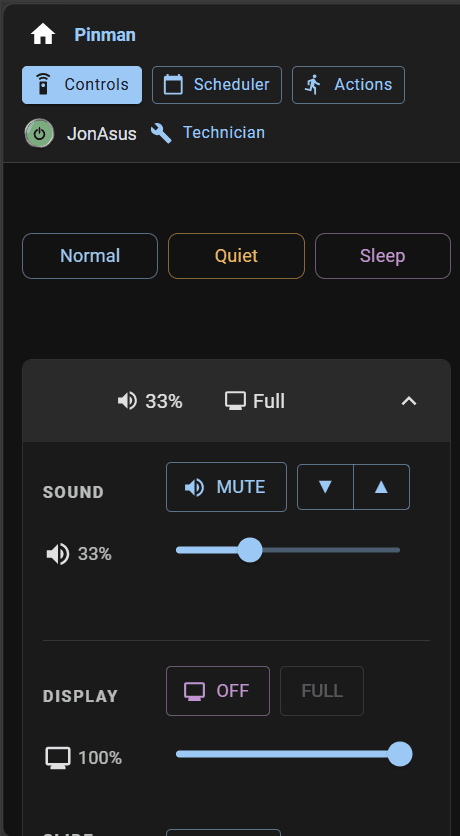
Every Pinman 2 installation includes Operator Mode: the practical remote controls for the machine behind the screen, from a phone or browser on the same network.
The two are login roles in one installation. Give the Operator login to whoever runs the machine—family, staff, or a venue—with no access to configuration. The Technician login covers everything else this page describes.
PINMAN + AI
Pinman gives an AI agent the same structured view a person uses: current Machine state, differences between Captures, Journal context, intended Profiles, and the result of each action.
With Free, an agent can read, compare, diagnose, explain, and apply existing Profiles. Pro also permits direct tracked-value changes, restore, and authoring.
The agent works from explicit evidence and named operations instead of guessing from an opaque PC.
See Free and Pro permissions →ONE APPLICATION
Free and Pro are capability tiers inside the same Pinman 2 installation—not separate products or downloads.
Inspect the Machine, capture Checkpoints, compare state, look past what you track, keep a Journal, and apply supplied Profiles.
Agents can read, compare, diagnose, explain, and apply existing Profiles.
Keep what you discover, create and edit Schemas and Profiles, preserve file data in Savepoints, restore, make direct tracked changes, and automate more of the work.
Agents can also restore, author, and make direct tracked-value changes.
Pro is a one-time, non-subscription license covering up to three of your own machines (Windows PCs), with offline use and license recovery. Free during the beta.
WHERE PINMAN 2 WORKS
Downloadable kits teach Pinman 2 the files and settings that matter for a particular software ecosystem. The application itself stays the same.
BUSINESS & IT
Configuration memory for individual Windows PCs—kiosks, lab and production machines, and other dedicated systems—standalone or beside the fleet tools you already run.
Begins with a sandbox project for learning and demos—safe to break, easy to reset—and a focused Getting Started guide.
Pinman 2 for business & IT →PINMAN 2 CLOSED BETA
The closed beta is for technical professionals with real configuration problems to test. Every Pro capability is enabled during the beta; beta access ends when Pinman 2.0 is released.
Get an email when Pinman 2reaches public beta and release — no spam. Want in sooner? Check the box and we'll point you to the beta.
By submitting this form, you agree to the Website Terms of Use and acknowledge the Privacy Notice. We use double opt-in, and you can unsubscribe at any time.